
Admins & Teams: Clear Roles, Secure Control, Scalable Growth
For most Managed Service Providers (MSPs), privilege and ownership management are the most difficult and critical parts of daily operations. But when multiple engineers share a single login, accountability disappears—and so does security.
- Who made that configuration change?
- Which employee owns that customer organization?
- What happens when someone leaves the company?
Shared accounts might seem convenient at first, but they quickly become a management nightmare. The lack of visibility and ownership can lead to service disruption, data risk, and loss of customer trust.
That’s why the new Admins & Teams feature in Nebula’s MSP Portal was built — a structured, role-based, and team-oriented framework that gives MSPs complete clarity, ownership, and visibility over their entire customers.
Introducing Admin & Teams: An easy-to-configure permission system aligned with the MSP structure
Admins & Teams enables the creation of MSP admins with assigned roles, grouping them into Teams, and organizing customers into Groups. The Org administrators overview further centralizes visibility and control of organization-level admins across all managed customer organizations. This framework ensures that ownership, access, and visibility always remain under company control—no matter how your team evolves.
How Admis & Teams Work?
- Roles, Teams, Privileges, and Resources
At the core of Admins & Teams is role-based access control (RBAC)—a structured framework that defines how your MSP workforce operates across all customer organizations. Instead of assigning permissions manually to each engineer, MSPs can build a scalable and maintainable model by combining Roles, Teams, Privileges, and Resources (customer organizations or Groups).Before building admins and teams, it’s important to understand the MSP company concept in Nebula. Once the MSP company has been set up, all organizations and devices are owned under the MSP Master account, regardless of which engineer created or deployed them. This resolves long-standing issues where customer assets were tied to individual employee accounts and became difficult to track or recover when staff changed. With this foundation in mind, we can now walk through how to build your Admins & Teams: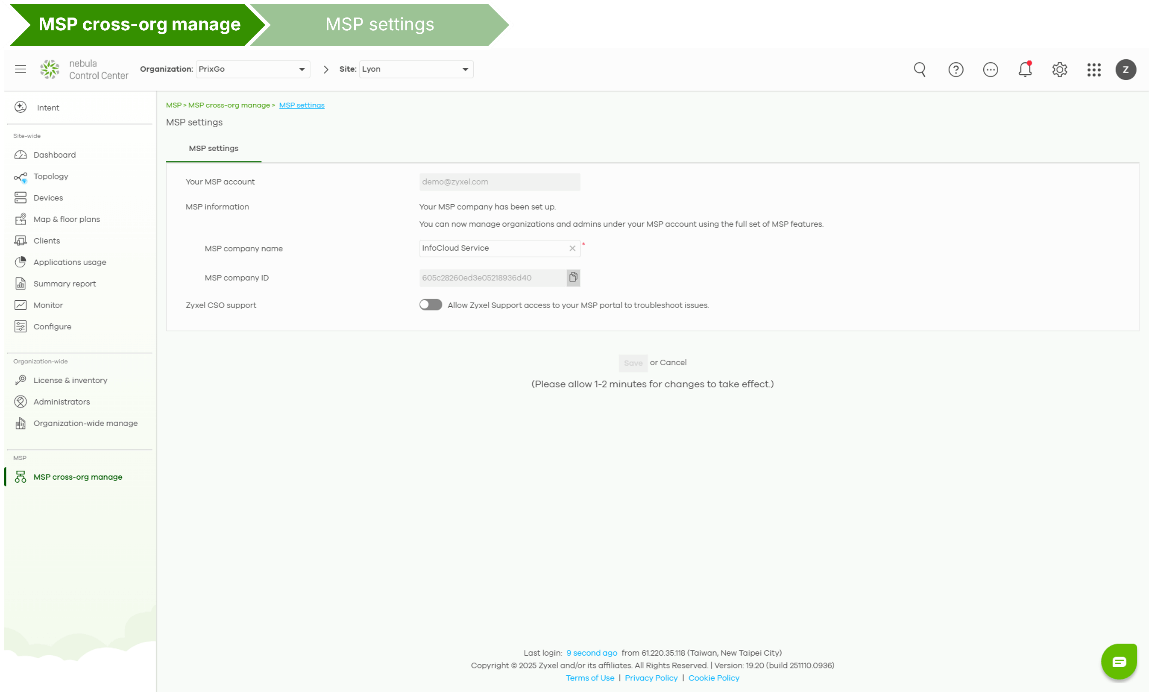
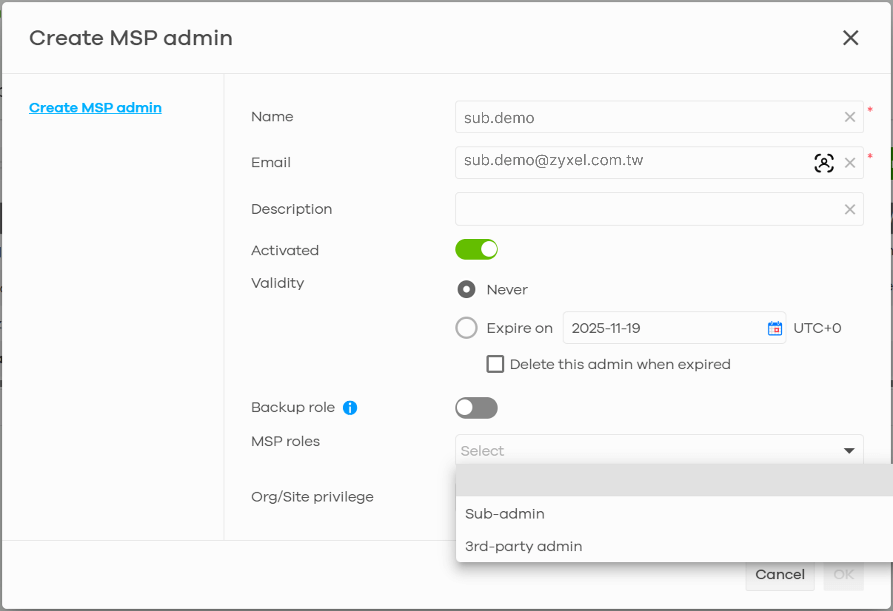
- Create individual admin with assign roles: From “+Create MSP admin”, enter the admin’s name and the company email already registered in Nebula. You can then assign one of Roles based on operational needs:

- Master – Full access to all customers and network operations with automatic ownership of all assets.
(Cannot be assigned, it is automatically granted to the account that creates the MSP company.) - Backup – Same access level as Master, but without asset ownership as Master.
(Requires an additional MSP Pack license)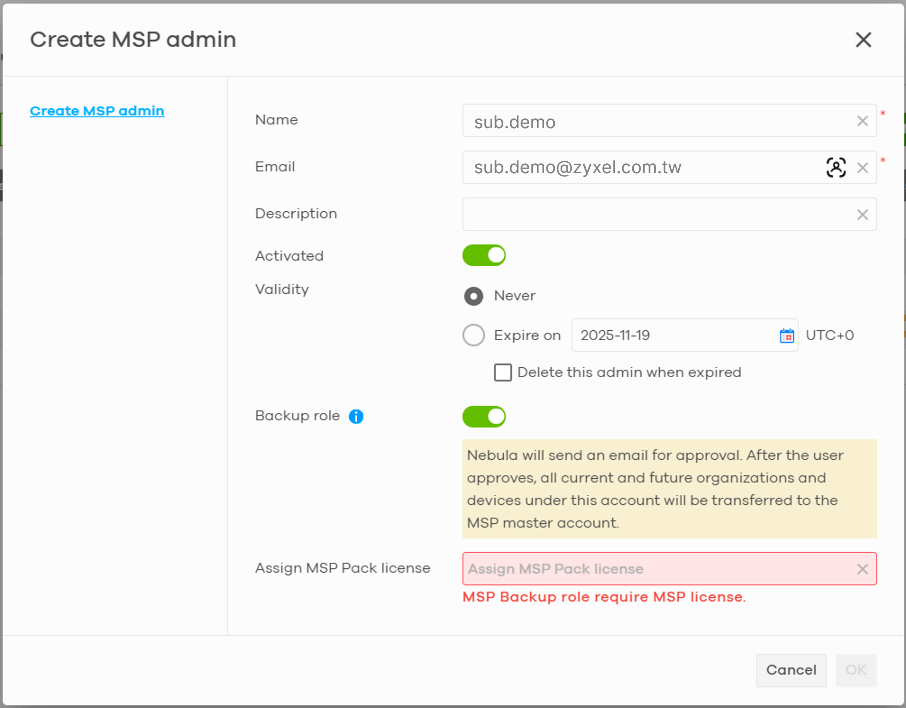
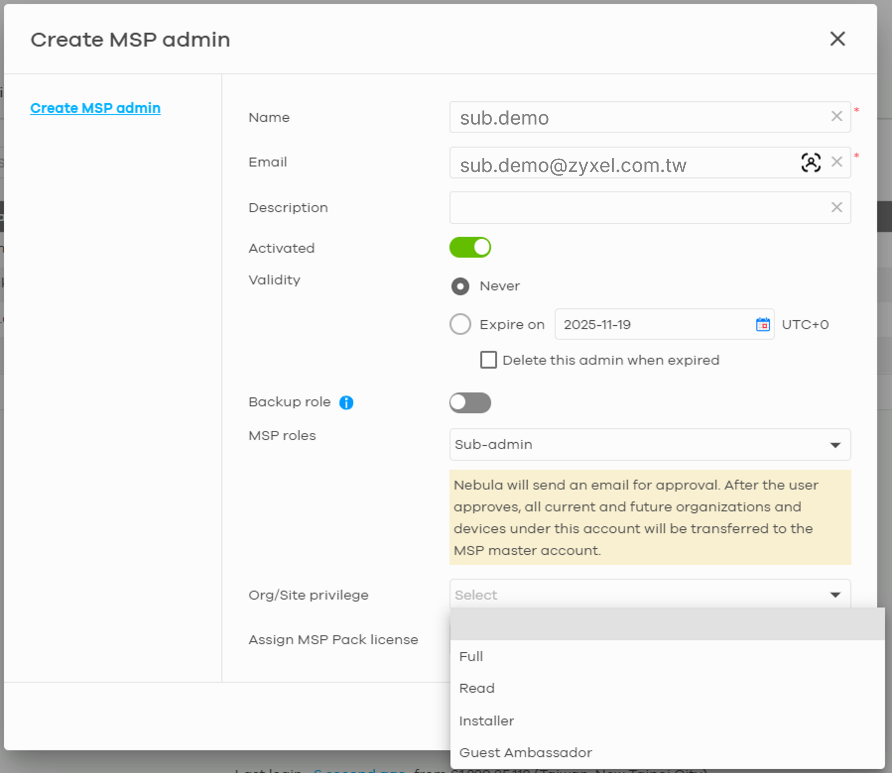
- Sub-admin – Requires an Org/Site privilege selection (Full / Read / Installer / Guest Ambassador). Sub-admin does not include asset ownership, unlike the Master role.
(MSP Pack license is not mandatory) - 3rd-Party – Designed for external partners with limited selectable Site privileges (Installer / Guest Ambassador). 3rd-Party does not have asset ownership, and MSP Pack licenses is irrelevant for this role. After selecting the role for a new member, you can assign Org/Site privileges to control what Sub-admins or 3rd-party admins can do within customer organizations. For Master and Backup, their privileges are always Full by default.
- Master – Full access to all customers and network operations with automatic ownership of all assets.
- Group Sub/3rd-party admins into teams based on their responsibilities (Recommended though optional) Name your Team according to your operational structure—such as customer type, engineering function, service tier, or regional responsibility. An admin can belong to multiple Teams, giving you flexibility in defining responsibilities.
 You may also assign Org/Site privileges at the Team level. This ensures that every member inherits the same permissions, making the setup more scalable and significantly simplifying onboarding and offboarding.
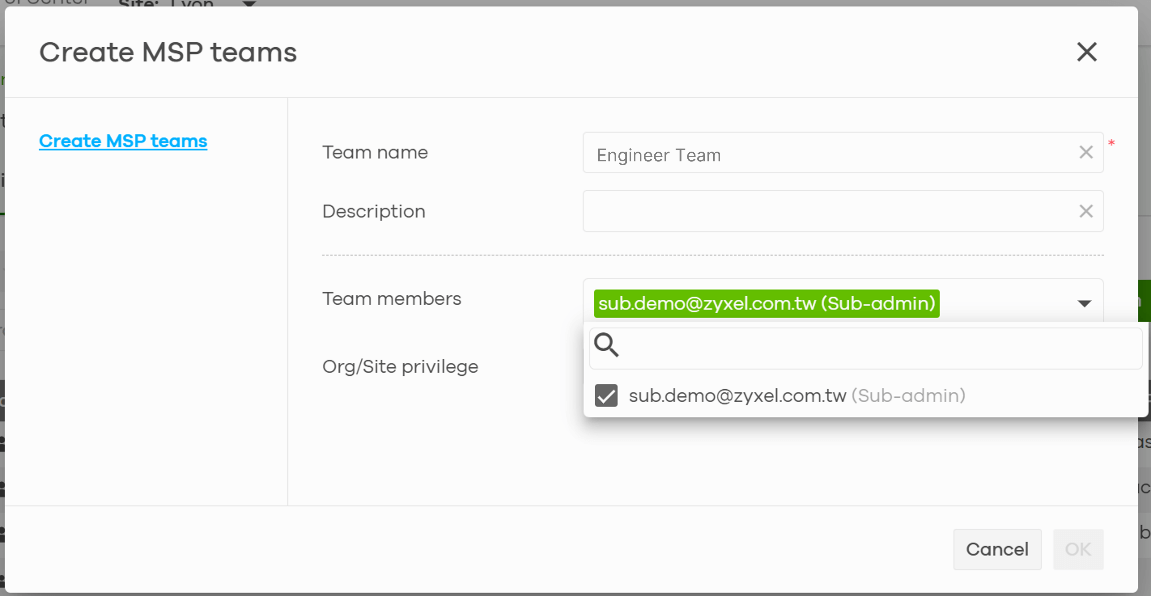 Once roles and privileges are defined, MSPs now can assign resources.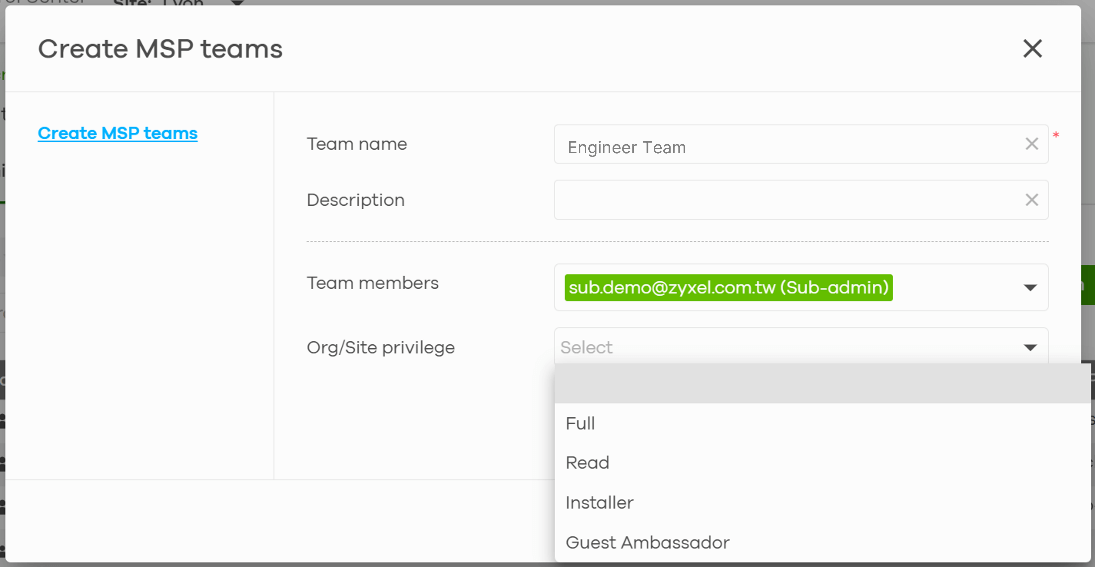
- Create individual admin with assign roles:
- Customer Orgs & Groups — Structure That Scales
Customer organizations are treated as Resources in the Admins & Teams framework. They can be assigned to the appropriate Sub-admins, 3rd-Party admins, or Teams you created earlier — and likewise, admins or Teams can be assigned to specific Resources.MSP Master or Backup(s) can also select the customer organizations they want to group together and categorize these Groups by region, service tier, or business type. Once a Group is created, it can be assigned to Sub-admins, 3rd-Party admins, or Teams, ensuring that permissions and responsibilities are applied consistently across multiple organizations at once.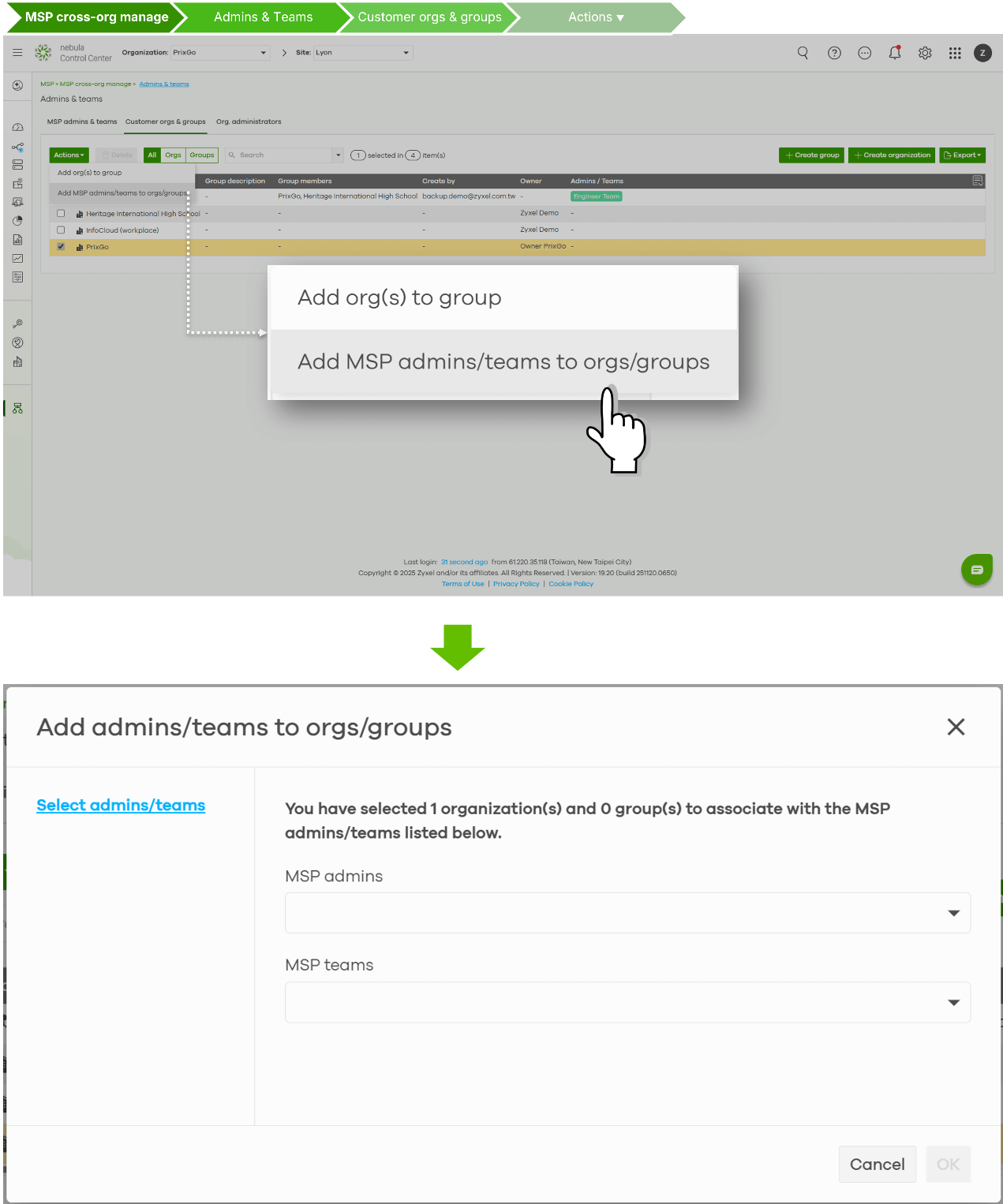
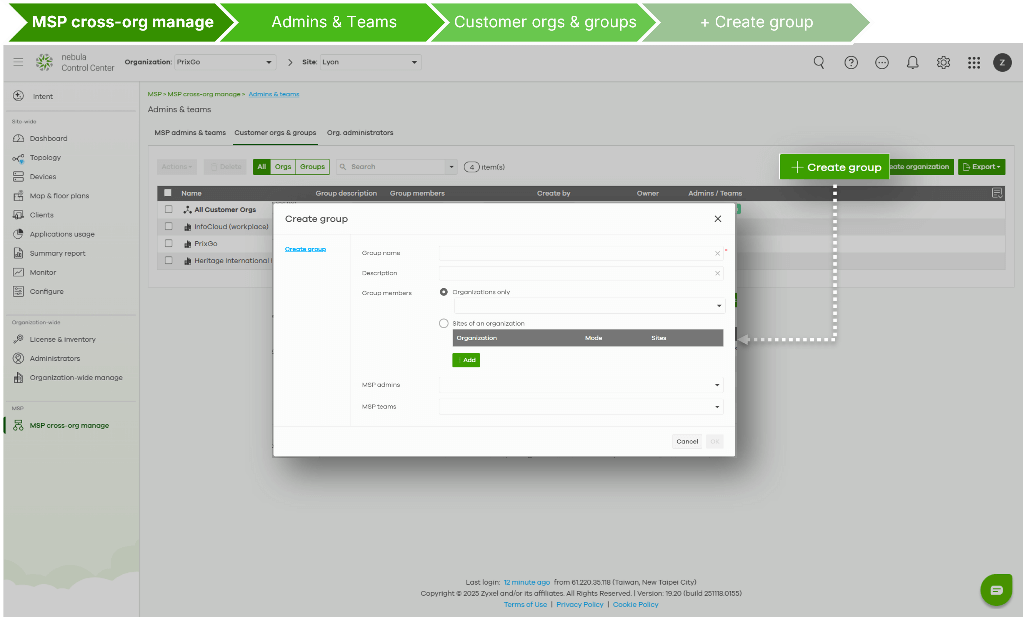 Master or Backup(s) can also create new customer organizations directly from this page, making it easier to expand your MSP portfolio without switching between interfaces.
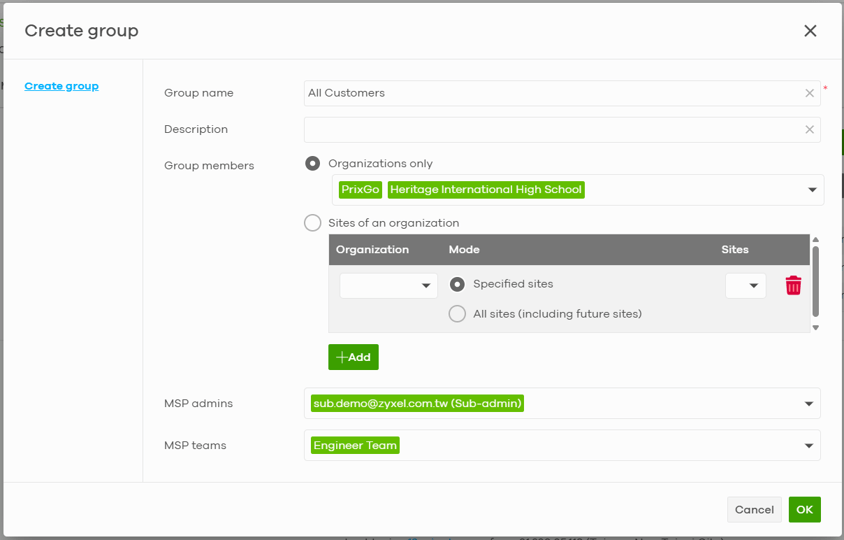 This structured framework simplifies management, enhancing oversight, and enabling targeted support. It brings clarity—engineers only see what they’re responsible for, while managers maintain a holistic perspective.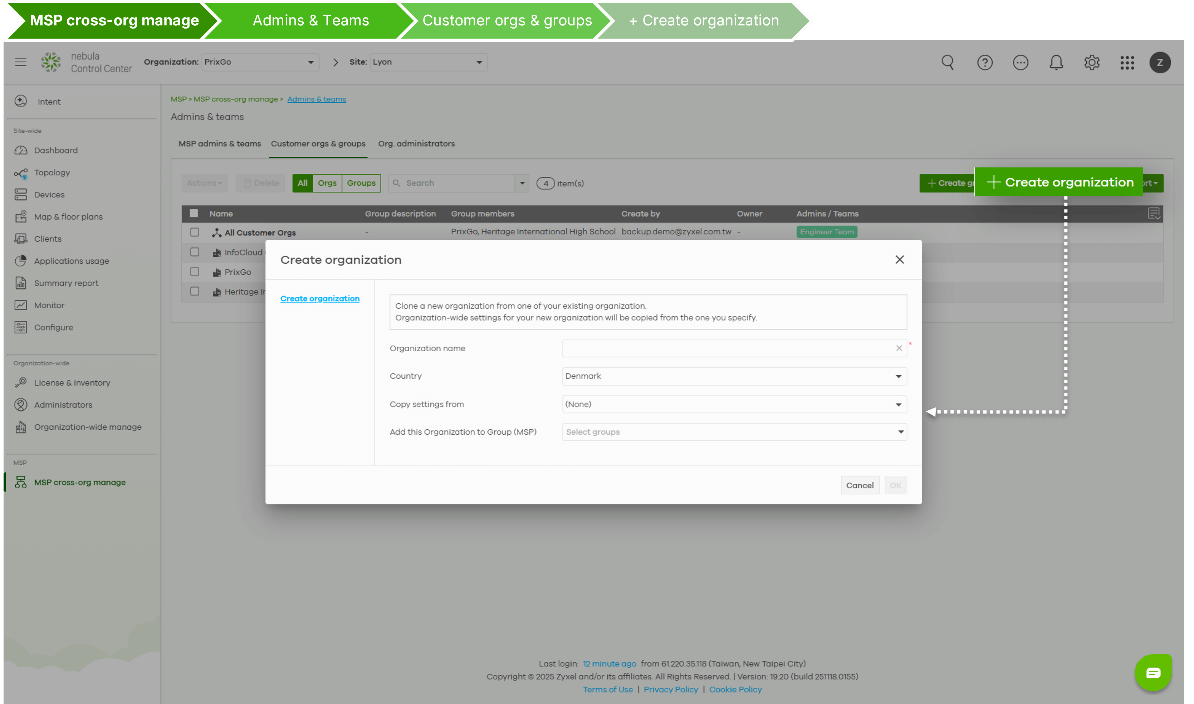
- Org Administrator Overview — One View, Total Control
The Org Admins Overview consolidates all organization-level admins into a single, searchable view.From here, MSPs can quickly: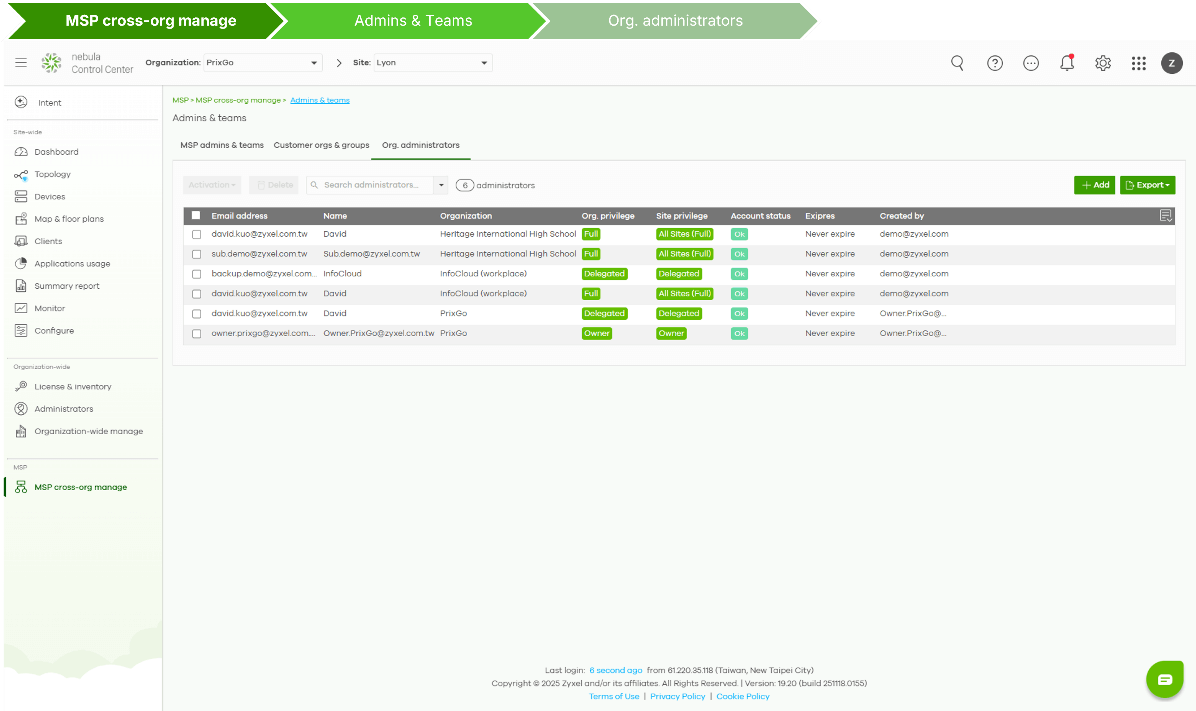
- Audit who has access to each customer organization.
- Identify redundant or inactive accounts.
- Maintain transparency and compliance with minimal effort.
- Add new org admins when requested by customers, without the need to switch to the customer’s organization page
It offers quick access, a centralized view and control of all org-level admins—streamlining audits, improving visibility, and simplifying admin management.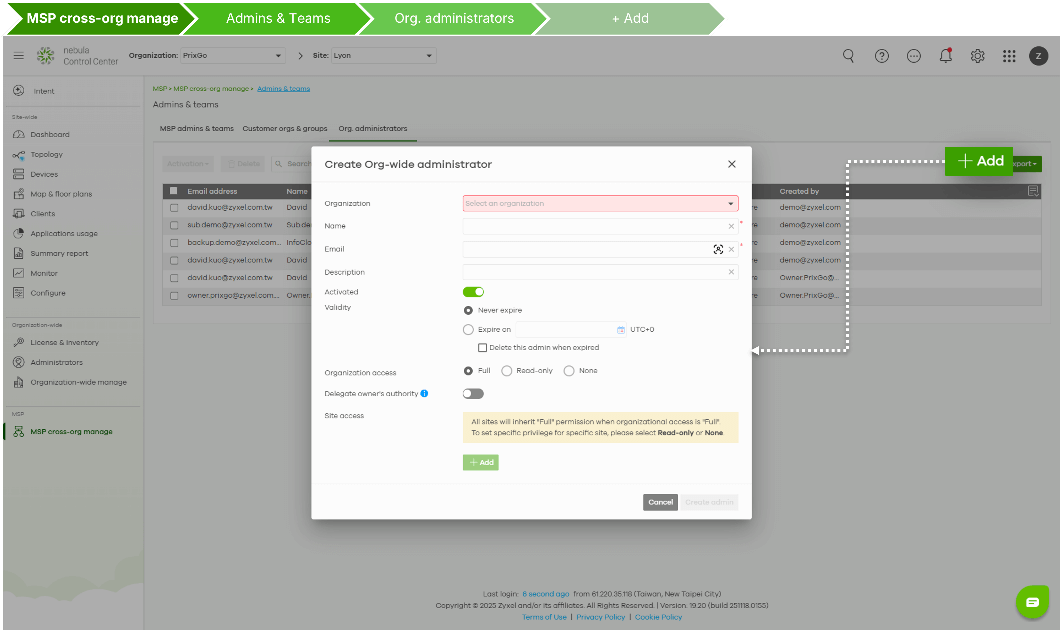
How Admins & Teams Changes Everything
With Admins & Teams, MSPs move from manual maintenance to automated structure— from guesswork to clarity, and from shared chaos to controlled growth.
It brings three major advantages that redefine day-to-day MSP operations:
- Centralized Asset Ownership
All customer organizations and devices are now owned under the MSP Master, ensuring business continuity and eliminating the risk of fragmented assets across employee accounts. - Organization-Aligned Management Structure
The hierarchy of Roles, Teams, and Groups mirrors your real MSP organization.
This alignment makes administration intuitive and transparent, so managers instantly understand who controls what. - Group-Based Management for Efficiency
Both MSP staff and customer organizations can be managed by group-Teams & Group respectively, allowing administrators to apply changes in bulk—streamlining permission updates and accelerating service delivery.
Admins & Teams represents a major leap forward in Nebula’s MSP evolution.
It’s more than a feature—it’s a framework built for clarity, ownership, and scalability, helping MSPs strengthen trust, accountability, and operational efficiency across every customer relationship.